Schedule Your Facebook Status-How to Schedule fb Status

later+bro


Let me tell you in details, using this trick you will just set date and time on which your status has to get updated on your wall and on that particular time your status will get updated automatically without asking for your permission.

How to Create your own Image Emoticons for facebook


Smileyti.me-Image-Emoticons
Creating your own emotions is easy now. Just follow the steps:

1. Just visit there website http://smileyti.me/
2. Now you will see page asking you to choose your image and than entering that irritating captcha you can follow below .gif image we created uploading our default website logo.

Flash Animated Label Cloud Widget For Blogger


Flash Label Cloud Widget For Blogger i.e moving or rotating labels in blogger.This is very beautiful widget. you will like it.

How to install it:-

How to make Animated labels


Design Edit Html Blogger
Everyone wants his blog make beautiful as well as attractive. Today I am going to share an interesting tip by which you can easily make your labels,categories dance automatically whenever anyone put cursor on them. So, let's see how to do it.

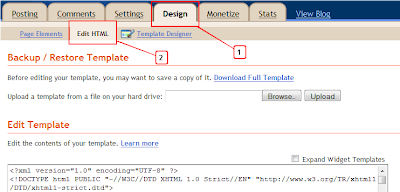
Step 1. In your Blogger dashboard click > Design > Edit Html
Step 2. Find the following piece of code in your blogs Html : (Click Ctrl and F for a search bar to help find the code -

Add Facebook Like Box at The Bottom Of Posts


imageFacebook like box is a great plugin that lets Facebook users to indirectly subscribe to your blog updates via their Facebook accounts. Your website visitors will receive your blog updates on their Facebook Homepage. Before you add the Facebook like box below blogger posts or on any part of your blog, you will need to create a Facebook Like Page by reading this tutorial,
You can see this box appearing below all my posts. This is a better area to place your like box than the sidebar because it is the next thing your readers will see after having read your post. So this area can increase the number of your blog likes. Lets get to work then!


Add Facebook Like Button Below Post Titles

Today I'm going to share How to add Facebook like button below every post title. It's easy just follow the instructions:
  1.  Go To Blogger > Design > Edit HTML
  2. Backup your template
  3. Click the "Expand Widgets Templates" Box
  4. Search for this,

Popup Related Post Widget For Blogger

Recommended Post Slide Out For Blogger
“Keep the visitors glued to your site for long” This is what every blogger out there wants to do. There are various related post widgets that you might have come accross. The one that is really famous now days (and it really works!) is the 'Recommended Post slide Out Widget' widget like in many WordPress blogs. The widget is basically a slideout or Popout widget that enables on the 'post' pages. You might have seen this kind of a widget on many popular websites like New York Times, Mashable, Times of India etc.